


Fixing a Hetzner Snapshot That Won't Boot on New UEFI-Only Hardware
A website my father and I built together, nearly twenty years old, sat in a snapshot that suddenly refused to boot, and getting it back took an evening I did not expect to spend inside a partition table.
Before there was a hosting business, there was a Counter-Strike: Source server my father and I ran together, back when that meant something in Ukraine. We had one of the best-known ones in the country for a while, and I spent my teenage evenings coding custom mods for it instead of homework. The domain from that project, uasource.com, is still alive. It is close to twenty years old now.
The hosting business came later, and separately, the hardware and networking I picked up keeping those game servers running just made it easier to rent my first dedicated server for it. I ran that business alongside full-time employment for years, closed it down in 2026, and migrated the last handful of paying clients over to Infomaniak. uasource.com came with me, in spirit, except it very nearly did not.
I took a snapshot of the old Hetzner server, deleted the server itself, and some time later spun up a fresh instance from that snapshot to pull the site off it. It never came up.
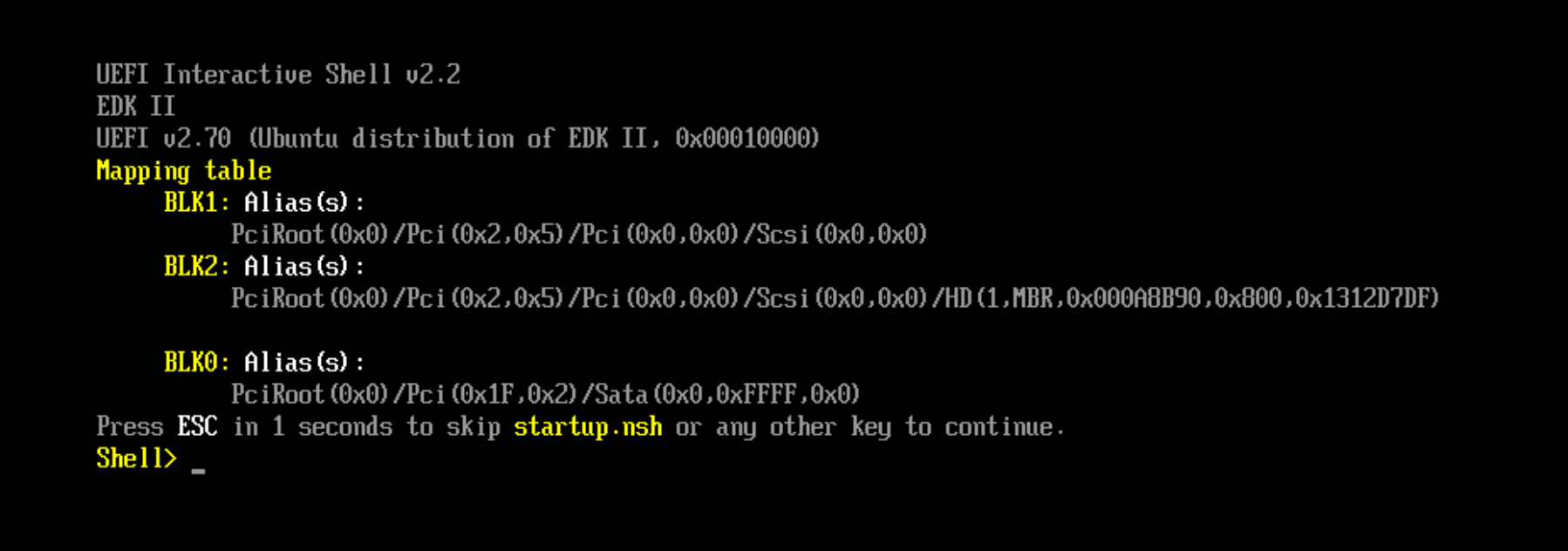
If your server is down right now and you found this by searching the error: jump straight to the fix. Newer Hetzner server generations boot UEFI only, with no legacy BIOS fallback, and a snapshot taken on older hardware does not carry an EFI partition, which is the short version of all of this. Support can sometimes switch a specific instance back to legacy boot on request, so it is worth opening a ticket and asking before you touch a partition table. If that is not an option, the route below works and took me about an hour once I stopped fighting dead package repositories.
What I was working with
The setup, for anyone trying to match their own situation against mine:
| Component | Version / detail | Note |
|---|---|---|
| Original server | Hetzner Cloud, Cost-Optimized tier (CX line) | Marked "Limited availability" in the console, older hardware, MBR disk, BIOS/CSM boot |
| Replacement server | CPX32, Regular Performance tier | 4 vCPU, 8 GB RAM, 160 GB SSD, newer hardware generation, UEFI only, no CSM |
| OS on the disk | CentOS 7.9 ("Boris Yegorov") with CloudLinux 7.9 | CentOS 7 reached end of life on June 30, 2024, mirrors are gone |
| Rescue environment | Hetzner Rescue System, Debian 12 (bookworm) based, custom kernel | Booted via EFI on the new instance |
| Disk layout before | 152.59 GiB, dos disklabel, one partition (sda1, ext4) | No EFI System Partition anywhere on it |
| Disk layout after | sda1 shrunk to 151.4 GiB (ext4), sda2 added at 1.1 GiB (type ef, FAT32) | Still an MBR disk, just with an ESP added, no GPT conversion needed |
| Tools used | e2fsck/resize2fs 1.47.0, fdisk (util-linux 2.38.1), grub2-efi-x64 1:2.02-0.87.0.2.el7.centos.14, shim-x64 15-8.el7 | GRUB and shim pulled from CentOS's archived vault mirrors, not the dead live ones |
Why it wouldn't boot
New Hetzner server models deploy with UEFI by default and, per Hetzner's own documentation, "no longer have Legacy/BIOS support (CSM)." My snapshot was built on an older generation, MBR partition table, no EFI System Partition. That works fine until the hardware underneath it changes, and mine just had. Other people have hit the identical wall on Hetzner Cloud's newer CX, CPX and CCX lines. One report describes a VM that would install and simply refuse to come up, until support flipped it back to legacy boot by hand on request.
My snapshot expected a server type that turned out to be running out from under me, which is what actually got to me. Hetzner's own console marks the older, cheaper tier "Limited availability" and describes it as "cost-efficient on older hardware generations, with limited availability." The exact size I needed showed a tooltip that read "Not available. Please choose another location or type."
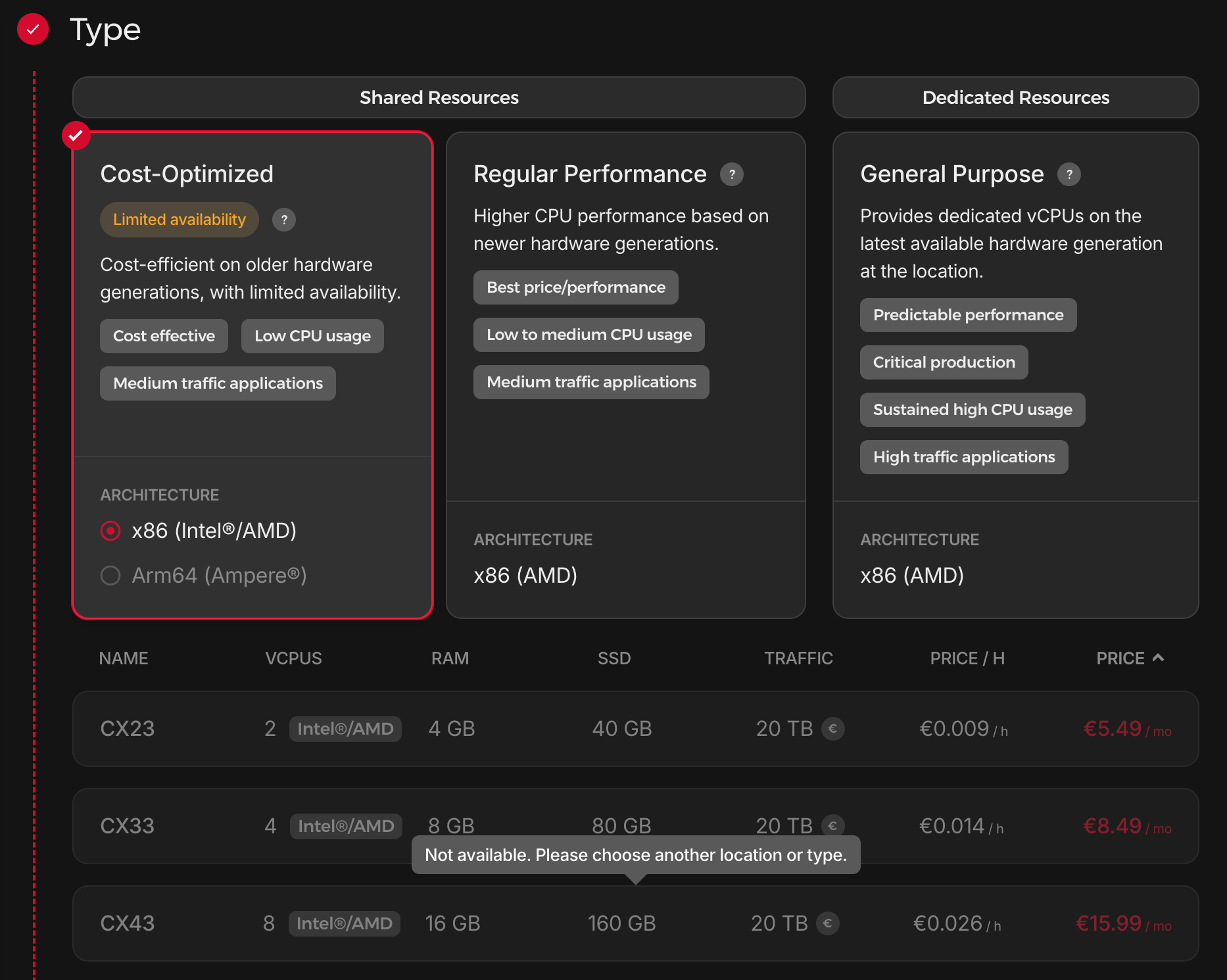
So there was no "just deploy the same type again," even though I would have taken it in a heartbeat. What I actually had to pick instead was a CPX32 in the newer, non-optional tier, four vCPUs and 8 GB of RAM on "higher CPU performance based on newer hardware generations," which is Hetzner's own description of exactly the hardware that does not know how to boot my snapshot.
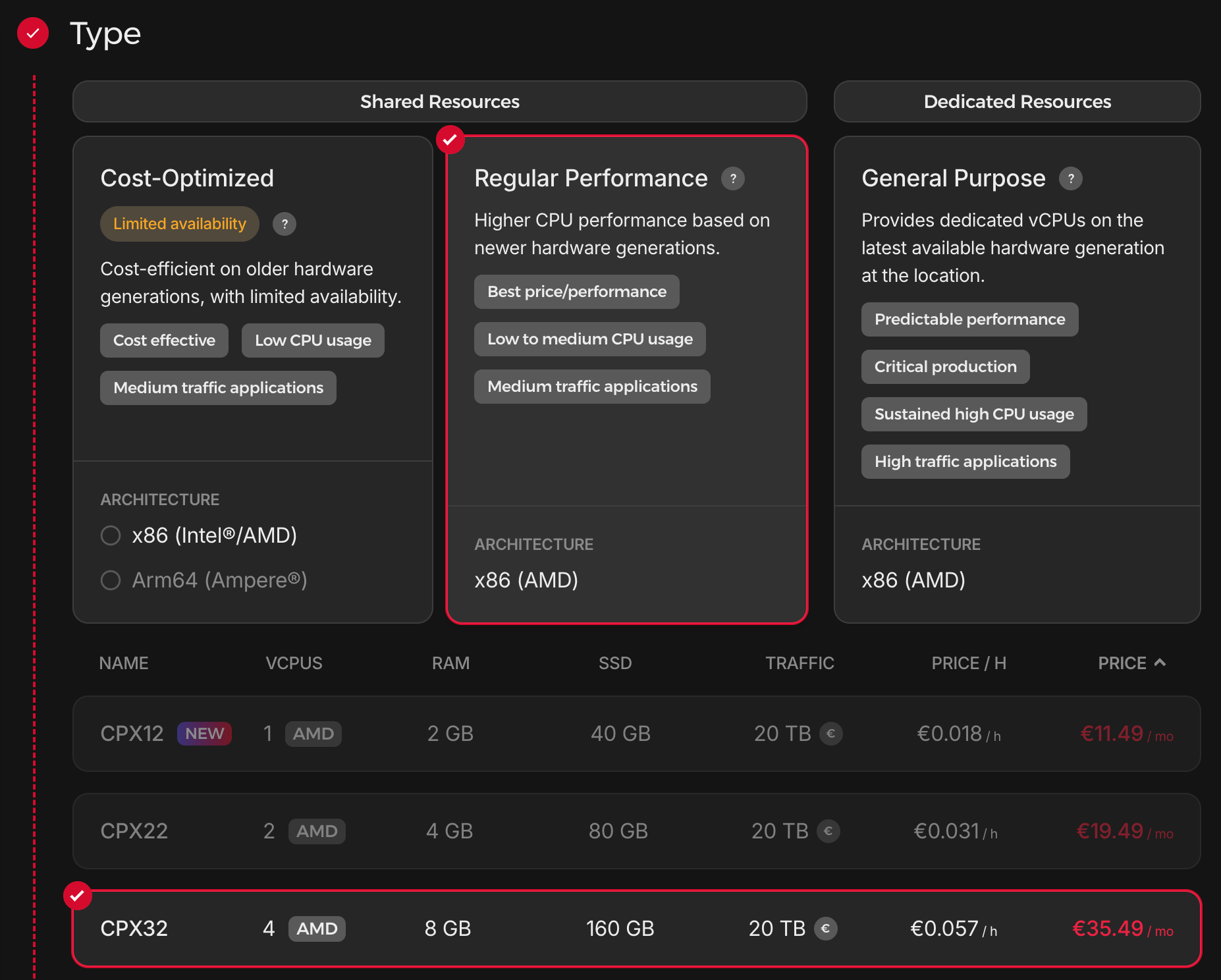
Before spending an evening on the fix below, it is worth asking Hetzner support whether the specific instance can be switched to legacy boot mode. Other people on the newer Cloud lines have had support flip that switch by hand on request. It is a ticket, not an afternoon of fdisk, and it might be all you need. By the time I had this figured out it was too late for that, so I went ahead with the repartitioning route myself.
Step by step: getting a BIOS-only snapshot to boot as UEFI
1. Boot into the rescue system and check what you actually have
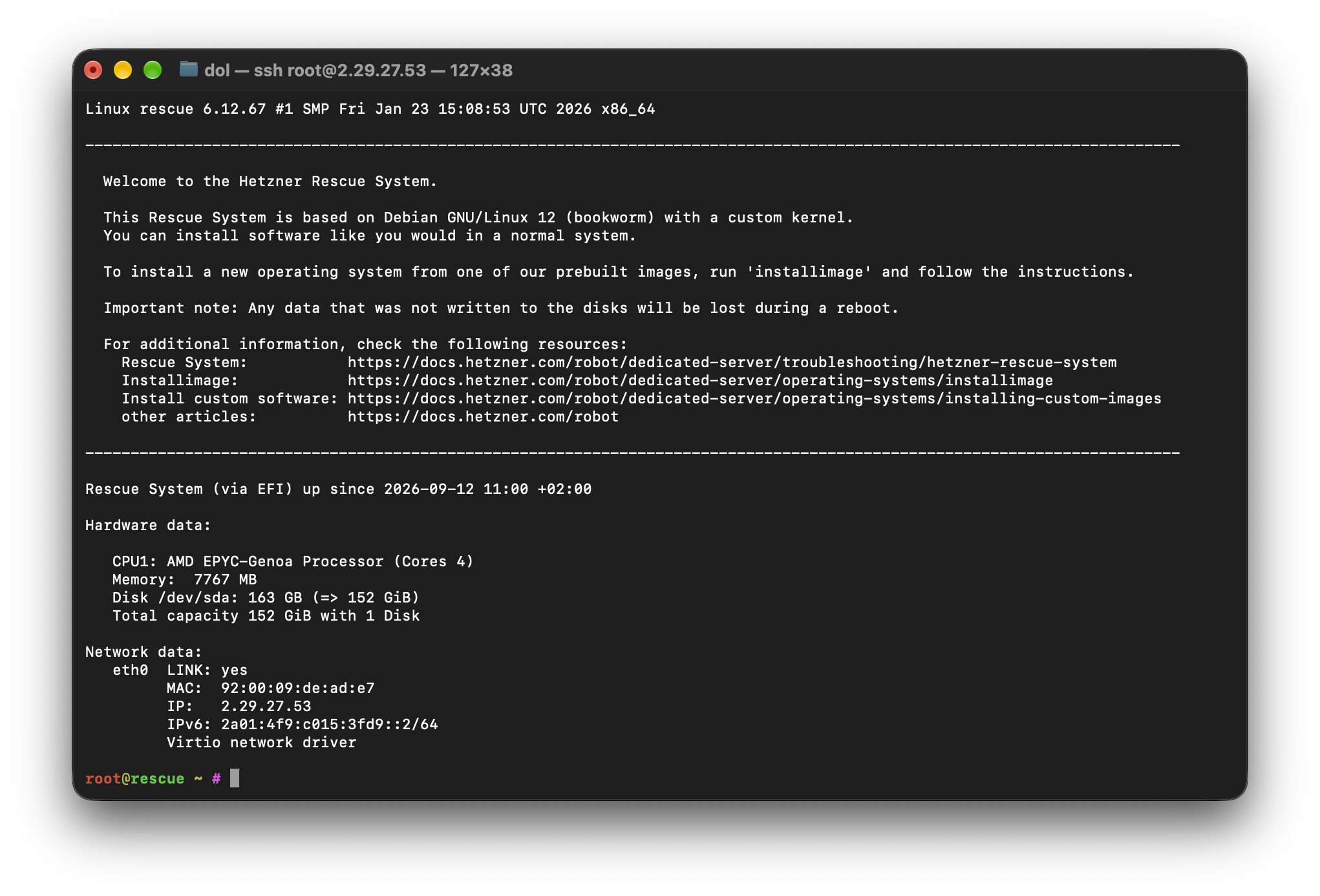
lsblk -f and fdisk -l /dev/sda are the first thing to run, before touching anything. A dos (MBR) disklabel with a single Linux partition and nothing of type ef anywhere is your confirmation, the disk has never had an EFI System Partition, and no amount of retrying the boot will fix that on hardware that only speaks UEFI.
2. Check the filesystem before you resize anything
This part actually went fine, for once.
e2fsck -f /dev/sda1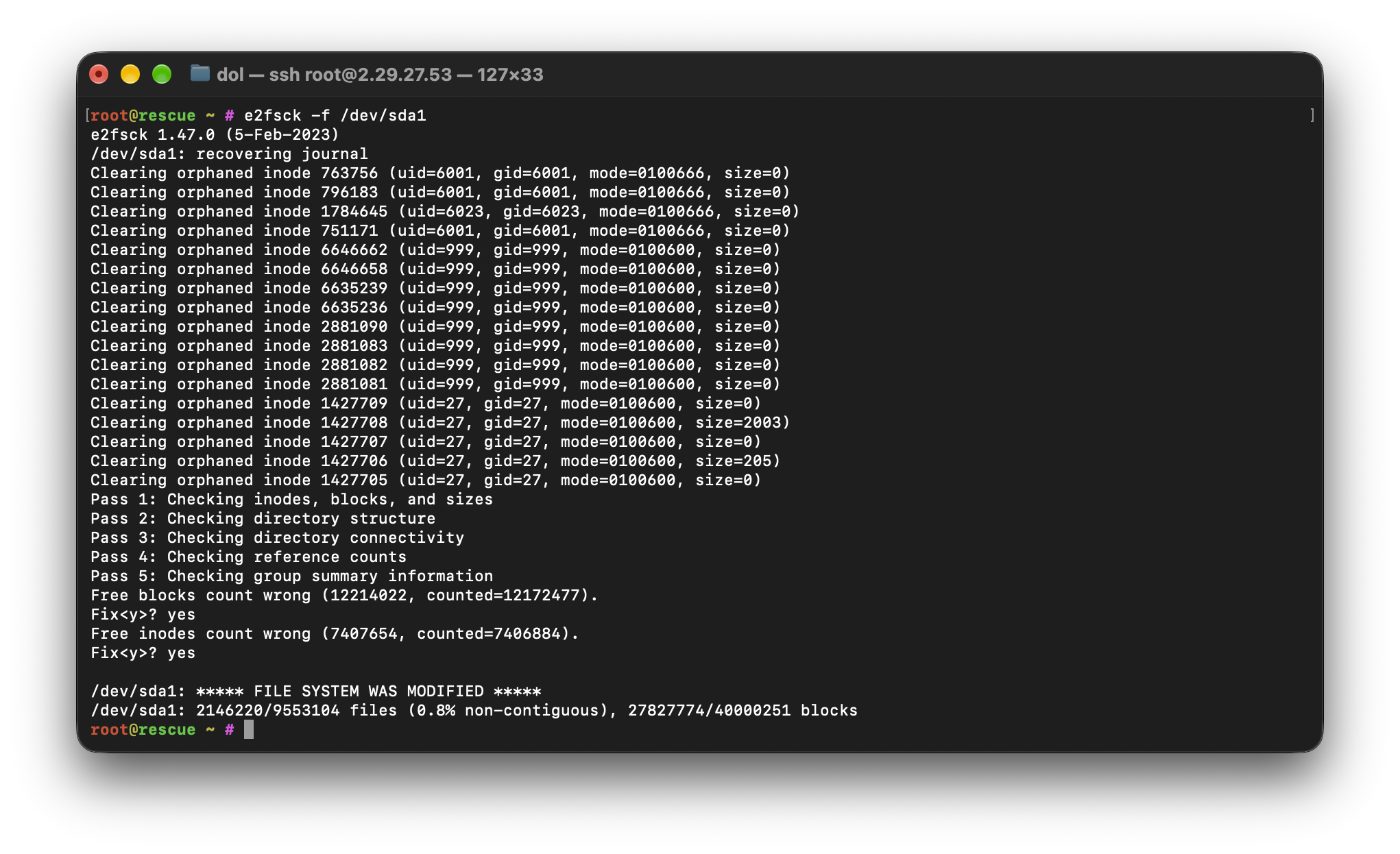
A dozen orphaned inodes from an unclean unmount, cleared in a few seconds. I ran it again afterward out of habit. Clean, no changes, so the filesystem itself was not what I was dealing with here.
3. Shrink the filesystem to make room for an EFI partition
An EFI System Partition has to come from somewhere, and on a disk with a single partition already filling it, that means shrinking the filesystem first and the partition second, in that order. Check how far you can safely go before committing to a number:
resize2fs -P /dev/sda1        # reports the minimum size the filesystem can shrink to
resize2fs /dev/sda1 39700000  # shrink it, leaving headroom above the reported minimum
Leave real headroom above the minimum resize2fs -P reports. I aimed for a partition still comfortably over 150 GB out of the original 152.6, an EFI System Partition only needs a few hundred megabytes to just over a gigabyte.
4. Repartition, carefully, on the live disk
This is the part I was not mentally prepared for, doing it on the actual disk in a rescue shell rather than on an image somewhere at a safe distance. fdisk /dev/sda, delete the existing partition, then recreate it at the same start sector with the new, smaller end sector, leaving the freed space at the end of the disk for a second partition typed ef (EFI System). Keep the existing partition's start sector identical, and say no when fdisk asks whether to wipe the ext4 signature it detects, the data lives in the filesystem, not in that partition table entry, but only if you leave the signature and the start sector alone.
I did not get this right on the first attempt. My first pass through fdisk deleted the partition, recreated it at full size again by taking the defaults, and then, faced with a second partition of exactly one sector, I said yes to wiping the ext4 signature before catching myself and quitting without writing. Nothing was lost, because nothing had been written yet, but it is the kind of thing you want to catch on a re-do rather than for real. The second attempt, done deliberately, looked like this:
fdisk /dev/sda
# d                              delete the existing partition
# n, p, 1, 2048, 317602047       recreate it, same start, smaller end
# (say N when asked to remove the existing ext4 signature)
# n, p, 2, 317602048, 320004062  new partition in the freed space
# t, 2, ef                       set its type to EFI System
# w                              write the table
Format the new partition and check the table again before moving on:
mkfs.fat -F32 /dev/sda25. Mount everything and chroot in
mount /dev/sda1 /mnt
mkdir -p /mnt/boot/efi
mount /dev/sda2 /mnt/boot/efi
for d in dev proc sys run; do mount --bind /$d /mnt/$d; done
chroot /mnt /bin/bash
6. Fix the dead CentOS and CloudLinux repositories
This is where the actual time went. CentOS 7 reached end of life on June 30, 2024, and CloudLinux's own license servers no longer recognize an old install either. Every yum install came back with the same wall of noise, an rhn_check login error, a 404 from mirror.centos.org, a CloudLinux registration failure. None of it was fixable by retrying, only by pointing yum somewhere that still has the packages:
# the live extras mirror is gone, point it at the CentOS vault instead
sed -i 's|mirror.centos.org|vault.centos.org|' /etc/yum.repos.d/centos-extras.repo

# base and updates are gone from the live mirrors entirely, add them by hand
cat > /etc/yum.repos.d/vault-os.repo <<'EOF'
[vault-os]
name=CentOS-7 - Base (vault)
baseurl=http://vault.centos.org/7.9.2009/os/x86_64/
enabled=1
gpgcheck=0

[vault-updates]
name=CentOS-7 - Updates (vault)
baseurl=http://vault.centos.org/7.9.2009/updates/x86_64/
enabled=1
gpgcheck=0
EOF

yum clean all
7. Install the UEFI boot stack and generate a config
grub2-efi-x64 and shim-x64 resolved this time.
yum install -y grub2-efi-x64 shim-x64
grub2-mkconfig -o /boot/efi/EFI/centos/grub.cfg
On CentOS 7 this pulls in shim-x64, mokutil, efivar-libs and updated grub2 packages as dependencies, and drops the actual boot files under /boot/efi/EFI/BOOT/ and /boot/efi/EFI/centos/, which is what the firmware on the new hardware is actually looking for at boot time. Checking that those directories exist and are populated before rebooting saved me from finding out the hard way whether it had worked.
8. Clean up and reboot
exit
umount /mnt/dev /mnt/proc /mnt/sys /mnt/run
umount /mnt/boot/efi
umount /mnt
Unmount in that order, the bind mounts and the ESP before the root filesystem, then reboot out of rescue mode. Whether it actually boots is what the next restart tells you.
What nearly went wrong
Two things had nothing to do with the technical steps above and could each have ended this differently. Before any of it happened, I had genuinely considered deleting the snapshot outright, it looked like dead weight sitting in storage costing me money for a server I did not think I still needed. And partway through the first, botched attempt at the EFI partition, I said yes to wiping the ext4 signature before catching myself and starting over. Get either one wrong and that is it. No site, nothing to write about, just a server my father and I built something on, gone.
A snapshot is not a backup of the machine. It is a backup of the disk, on the assumption that the machine underneath it still exists.
Worth separating clearly from all of this: I also had an actual data backup of the site from 2018, kept for exactly this kind of emergency. It turned out too old to even install on Infomaniak when I tried it, years of updates and content sitting only on the server itself in the meantime. That failure happened independently of the Hetzner incident, before I even knew the snapshot would be the one that mattered. That 2018 backup was supposed to be my second copy. Once it turned out useless, the snapshot was all there was, which is the whole reason I cared this much about getting it to boot.
If this is happening to you right now
Check the boot mode before you touch anything else. lsblk and fdisk -l inside the rescue system tell you the partition table type, and a bare MBR disk with no EFI System Partition on hardware that only speaks UEFI is your answer. Ask Hetzner support first whether this specific instance can be switched back to legacy boot, before spending an evening on the rest of this.
Shrink the filesystem before you touch the partition table. Check the free space resize2fs -P reports before deciding how far to shrink. Keep a stopped, unmounted disk to work on, and keep the snapshot itself untouched somewhere else while you do. I only felt comfortable improvising on a live partition table because I had that fallback. Without it, I would have asked someone else to do this, or paid Hetzner support to.
uasource.com is running again, updated, on Infomaniak instead of the server my father and I first put it on. I am not precious about it the way I was that evening, now I just maintain it like anything else I run. If you hit the same UEFI wall on your own snapshot, write to me, I would like to know whether Hetzner ever adds a warning for it.
Discuss
Get new posts by email